Architecture Design Powered by AI
Posted 08/30/2023 in Education
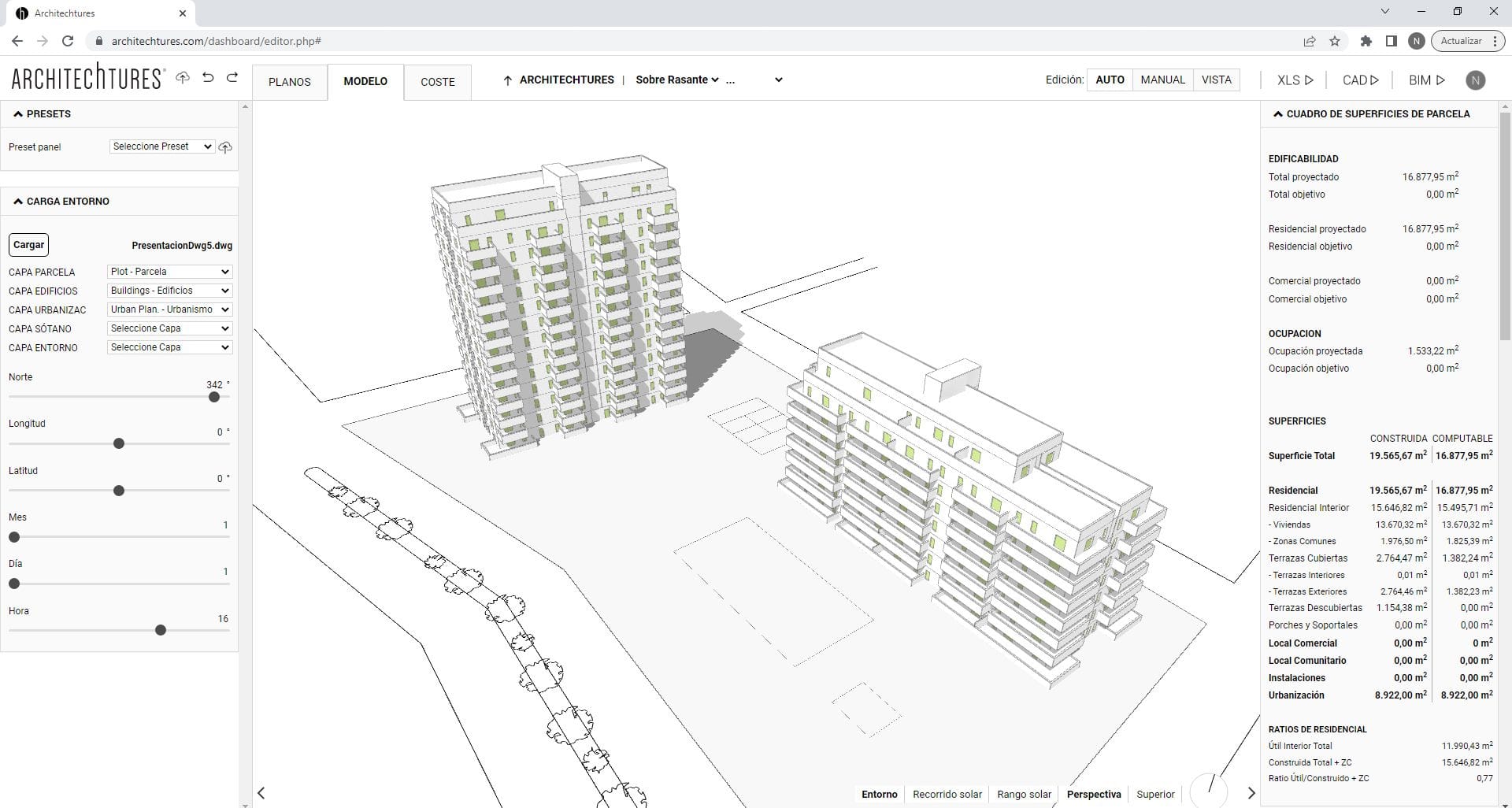
Architecture Design is a beautiful art, but it requires some hard and tedious hours of long calculations and iterations. At ARCHITEChTURES we have developed a GenAI Assisted Building Design Platform to help you. Our GenAI will assist you with design suggestions and breeze through all the boring stuff you don't like doing, allowing you to focus on what you excel at and enjoy the most: Designing Architecture.
ARCHITEChTURES, a GenAI-Assisted Building Design Platform
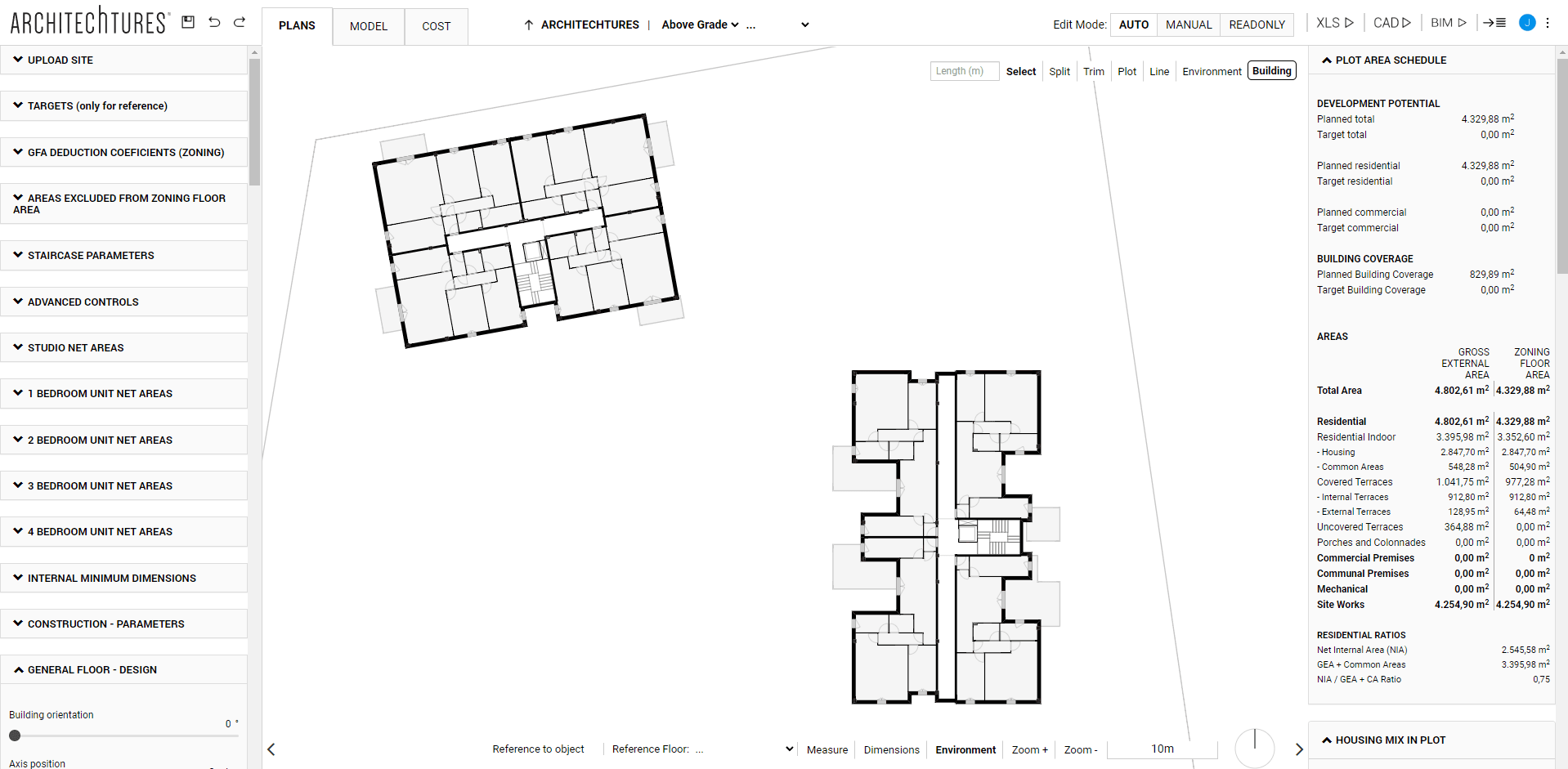
A floor planner is a tool for drawing floor plans of buildings, either in 2D or 3D, like Autocad, Revit, Archicad, Allplan, and more. ARCHITEChTURES is the first company in the world to introduce GenAI in floor planning so you don’t have to do all the work yourself, instead, AI assists you by doing the more time-consuming part of the work. However, ARCHITEChTURES is more than just a floor planner: it is a GenAI-Assisted Building Design Platform, a broader concept that mainly translates into the following concepts:
- Assisted Architecture Design: during the design process our GenAI assists the user by generating large parts of the project layout. It does this by following the instructions (i.e. the design parameters) given by the user in an iterative process that refines the project.
- Automation of Repetitive Processes: A big part of the work in architecture is a repetitive process such as modeling, measuring take-offs, doing calculations, and counting stuff. Automating all that is not only streamlining the process of generating metrics but also allowing us to make informed decisions leading to better designs.
- ARCHITEChTURES is a Platform: providing CAD plans, BIM plans, take-offs, budgets, etc..
Important. Even if our technology can be applied to any architectural design, currently it is only allowing Multifamily Residential Buildings (including hotels, commercial areas in the buildings, and underground parking lots). Ask our team for other types of buildings.
The use cases
ARCHITEChTURES is mainly used by architects and real estate developers in the early stage of architectural design, mainly for:
- Feasibility studies
- Site planning
- Deal evaluation
- Concept iteration
- BIM Schematic design (LOD 200+)
Getting started with ARCHITEChTURES
To enjoy the power of GenAI in architecture, it is neither necessary to have a powerful computer nor to install anything in it. ARCHITEChTURES is an online platform (Software as a Service) that you can use from any browser, although it is currently optimized for use in Chrome. All the heavy calculations are done on our servers, only the user interface is running on your computer.
If you already have an account click on Sign in the ARCHITEChTURES page and enter your credentials to access. Otherwise, register for a free trial and start experiencing the power of GenAI.
Subscription plans
There are different types of plans to adapt to your needs.
For more details about our plans and pricing please click here.
Design, share and download
ARCHITEChTURES is an open platform, where users, with the assistance of our GenAI co-pilot, can design at the speed of light but can also share their designs with third parties (both in view mode and in edit mode), and can download an excel report, and CAD and BIM models of the promotion, in fully standard formats (DXF and IFC).
My Designs
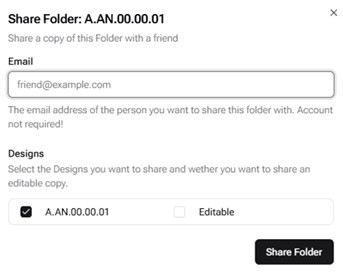
Once registered, clicking on the "My Designs" button in the navigation bar will display a dashboard summarizing all your projects, alongside a reference sample created by our team. Projects are organized into folders, which host the various iterations and design versions of each project.
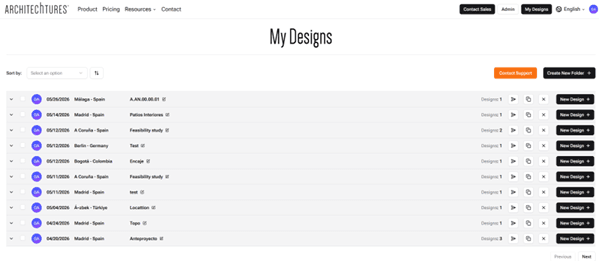
Available Actions:
At the top of the project list:
- Create New Folder: Using the "Create New Folder" button (highlighted in black), you can start a new project by defining its name, location, and preferred unit system. Once confirmed, the new project will automatically appear in the list as a folder, allowing you to store different design options.
To the left of each folder:
- Expand Folder: Clicking the "Expand" icon displays the different design variants within that project folder. Each variant shows individualized data, including the total number of housing units, the total above-grade and below-grade gross floor area (GFA), and the Construction Cost Estimate (Hard Costs). Additionally, clicking the "three dots" (ellipsis) menu allows you to move that specific variant to another project folder.
To the right of each folder:
- Share Folder: This allows you to share the project folder with other users (who do not necessarily need to be paid subscribers) by entering their email address. Within this modal, you can select which specific versions or variants of the project you want to share, and grant edit permissions if the recipient is a registered user of our platform.
- Duplicate Folder: Creates a copy of the project folder to safely explore different versions.
- Delete Folder: Permanently removes the folder if the project has been discarded.
- New Design: Generates a new design or variant inside your project folder.
To the right of each design variant:
- Download: Allows you to download project documentation. Specifically, you can generate files in IFC (BIM models), DXF (CAD drawings), or XLSX (spreadsheets) formats. To download a document, it must be previously generated within the Project Editor.
- Duplicate Design: Creates a copy of the design variant within the same project folder.
- Delete Design: Removes the design from the folder if the variant is no longer needed.
- Edit Design: The last icon, a black triangle, launches the Project Editor. This is where 99% of your workflow will take place.
Quick Start Guide: Next post